Features
130+ features. 35+ reports. One platform.
Everything a dental lab runs on, from the scan landing to the invoice being paid — built by lab techs, for lab techs. Unlimited users and unlimited cases on every plan.
Everything a dental lab runs on, from the scan landing to the invoice being paid — built by lab techs, for lab techs. Unlimited users and unlimited cases on every plan.
See every feature in action — 30 minutes that cover everything LabNCloud can do for your lab.
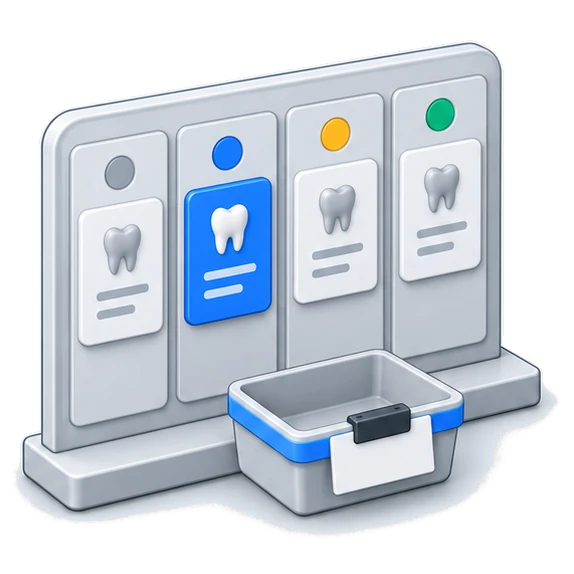
Create cases with patient info, doctor assignment, and service selection from your pricing catalog.
Custom status pipeline — Received, In Progress, Quality Check, Shipped. Track every case through your process.
Auto-generated printable work tickets with RX info, doctor notes, material, shade, and case details.
Print a real barcode label for any case on 2.4″ × 1.1″ stock and stick it on the script or the pan. Scan it later at the station or straight onto a shipping label.
Clone any case with everything pre-filled. Remakes take one click instead of a re-type.
Intelligent warnings before creating duplicate patient records to keep your data clean.
Resumable chunked uploads for large files — STL, DICOM, photos. Never lose progress on big uploads.
Internal lab notes and threaded comments per case for full team communication.
Add individual services or pre-built bundles to cases directly from your pricing catalog.
Runs on the PC your document scanner is plugged into, watches its output folder, and attaches new Rx scans to the right case by itself. Scan the script and walk away.
The same thing without installing anything — Chrome or Edge watches the folder and files the Rx onto the case for you.
Keep each doctor's preferences where the bench can see them — the contacts, the margins, the way they like it done — instead of in one person's head.
Find any case by patient, doctor, pan number, or status — however you think about it.
A calendar on the Cases page: every day shows what came in and went out, with the dollars finalized. Hover a day for products, cases and doctors serviced.
Pin a note to any day and everyone in the lab sees it, with who wrote it. "Bob is out at noon for jury duty" lives where people look.
Doctors request a pickup, a delivery, a new due date or a remake from a case. Accept or decline with a note; both sides get unread badges.
Scan a material's UDI label with a handheld scanner, a webcam or your phone straight into a service's notes. GTIN, lot, serial and expiry are written out for traceability.
Current Remakes and Remakes by Doctor on the dashboard: every remake still in the lab with how long it has been in, and who sends the most work back.
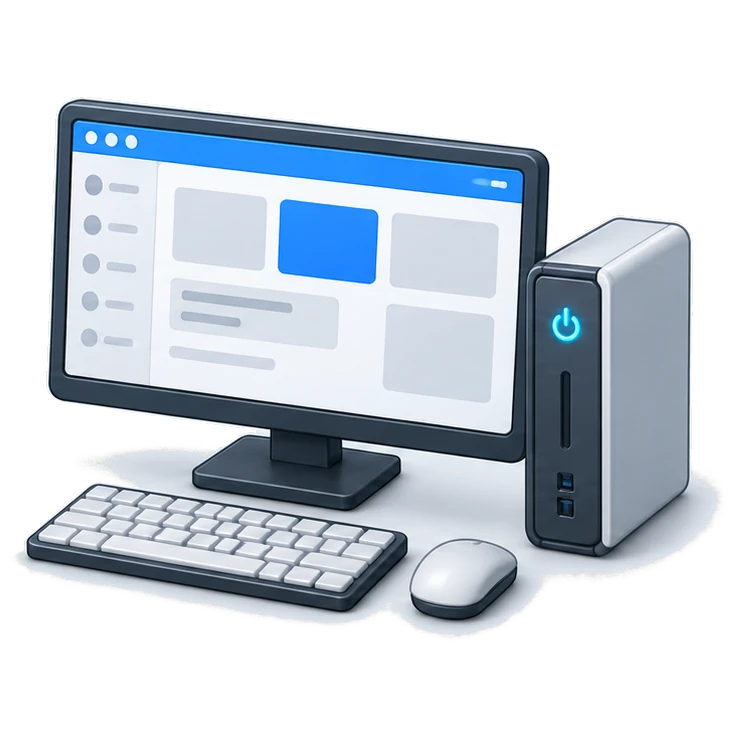
A real Windows application for the lab floor, so your team isn't hunting through browser tabs all day. Lives in the tray and stays open.
The whole thing works on a phone browser — cases, invoices, messages — for lab staff and doctors, with nothing to install.
Every app your lab needs in one place, so pointing a new tech at the right installer takes one link.
The desktop app updates itself in the background. Nobody has to download an installer or be walked through it over the phone.
Cases, tracking, invoices and messages on a phone — for doctors and for lab staff who are away from a desk.
A dedicated Android tablet app for the clock-in station, with no idle logout to interrupt the shift.
Barcode scanning on the lab floor for instant case lookup. Stays logged in all day, because a scanner shouldn't need a password.
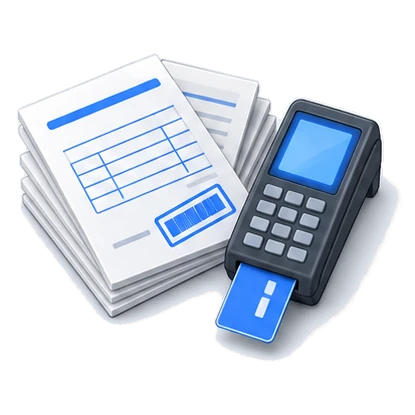
Create invoice drafts directly from case service line items with one click.
Finalize, void, or delete invoices. Full draft-to-finalized lifecycle management.
Take card and bank payments from doctors, processed through Finix.
Get your lab approved to take card payments from inside the app — application, fees and status all in one place.
Bill in your own currency, with international phone numbers and addresses handled throughout. A doctor in another currency zone sees the conversion in their own money.
Doctors can put a card on file and have invoices paid automatically, so you stop chasing them.
Automatic late fees on overdue invoices, with a grace period you set.
Custom fee schedules and per-doctor pricing, without a second catalog to maintain.
Record cash or check payments, apply credits and promotional credits to any account.
Per-doctor running balance with full transaction history and real-time outstanding totals.
Auto-generated PDF statements with customizable date range filtering.
Generate and download billing statements for all doctors in a single click.
Configurable tax rates with per-invoice tax toggle override for flexible billing.
Downloadable PDF receipts automatically generated for every payment processed.
Bill doctors monthly or twice a month, with a preview of the next statement date before you save.
A doctor can go paperless and their statement routes to the portal instead of the printer. Pull one back out if it went out wrong.
A live connector to QuickBooks Online: invoices, payments, doctors and shipping label costs sync on their own, a Sync now button for right now, and your QuickBooks customers can be imported as clients when you start.
Labs outside the US carry their VAT or GST identity on every invoice, with a US-only sales tax nexus rule so nobody is taxed twice.
Get real-time shipping rate quotes from multiple carriers without leaving the app.
Buy and print shipping labels natively from within any case.
Generate prepaid return labels for doctors so they can ship cases to you.
Print multiple return labels at once for high-volume operations.
Scan case barcodes straight onto one label. A dozen cases to the same practice takes about as long as it takes to scan them.
Real-time tracking status updates via Shippo webhooks — no manual checking.
Attach one shipping label to multiple cases going to the same doctor address.
Daily shipping report with manifest generation for your shipping desk.

Set a case to lab delivery from its Shipping tab: a day, a morning, afternoon or custom window, the office address prefilled, and notes for the driver.
Assign stops to drivers one at a time or in bulk, then build the route. Stops are ordered by real drive time with traffic and each one gets an ETA.
Drivers get a Deliveries tab on the mobile site and in the Android app: today's stops in order, Start route, Navigate through Google Maps, Call, and Directions.
Choose per delivery whether a photo, a signature, or both are required. The driver's phone will not mark a stop delivered without them.
The Deliveries page shows the lab, every pinned stop colored by driver, and each van's last position while its route is running.
While the van is out, the office's case page shows a live map, the driver's first name, the expected time and how many stops are ahead of them.
The office gets an email when the route starts with the expected time, and a receipt with the photo and signature when the case is handed over.
A printable run sheet for each driver's day, and a history with days driven, stops per day and on-time rate against the window.
Accept a doctor's pickup or delivery request and it lands straight on the board with the office address and preferred time.
A rank with only the driver box lands on Deliveries when it signs in, on the desktop site, the mobile site and the Android app, and sees nothing else.
One desktop app that pulls new cases from Dentsply Sirona DS Core, Medit Link and DEXIS through their official APIs, a local 3Shape scan folder, iTero (beta) and the Lab N Cloud portal, with Shining 3D in the works — then drops the scans into your CAD folder as STL, PLY or exocad, prints the Rx sheet, reads the prescription into the case and accepts the order at the vendor only once LabNCloud has it.
Native digital case submission — doctors send cases directly through the Lab N Cloud portal with no third-party scanner required.
View, accept, or reject incoming digital cases from any source in a unified inbox view.
Turn an incoming scan into a real case with the patient, doctor and files already attached.
Park an incoming case, say why, and it shows in red until somebody releases it. Nothing gets quietly forgotten.
Download large scan files with progress tracking — no timeouts on big files.
Per-lab keys for bridge authentication, with heartbeat monitoring so you know the bridge is actually running.
Employees clock in and out via personal PIN or QR code — fast and secure.
Dedicated tablet app for clock-in stations with automatic session keepalive.
View, edit, add manual entries, and export detailed timesheets for payroll.
Employees request time off directly from the kiosk. Managers approve or deny.
Custom-designed employee ID cards with QR codes for quick clock-in.
Profile photos for ID cards and kiosk display — uploaded or captured on-site.
Customize ID card layout, colors, and lab logo to match your brand.
Export timesheets as CSV for direct payroll integration.
Anyone still clocked in at a time you choose, in your lab's timezone, is clocked out and flagged for review. Labs with overnight shifts can turn it off.
Every disc, ingot, alloy and consumable with on-hand counts, units, cost, supplier and shelf location.
Lot numbers and expiry captured on receipt; every dispense remembers which lot it came from.
Type a lot number and see every case it went into — doctor, date, quantity — with CSV export.
Say what one crown uses; stock is deducted when the case reaches the status you choose. Once, never twice.
Scan the pan ticket, scan the material or lot label, press Enter. Works with any barcode scanner.
Material cost by product and by doctor, alloy issued vs. scrap returned, and expected vs. actual usage.
Low stock grouped by supplier becomes a draft PO in one click; print it, send it, receive against it.
A dashboard KPI and a morning email of what's at or below the reorder point.
Code128 labels for SKUs and lots on the same stock as your case labels.
Smart dispensing cabinets post directly: item, lot, quantity, case, who — with the lab's existing bridge key.
Manufacturer GS1 barcodes and your own pack labels carry lot, expiry and quantity — one scan fills the receipt and does the unit math.
Mills, printers, furnaces and handpieces with serial numbers, warranties, a service and calibration log, and scannable asset tags.
Track what you've lent out or sold — a scanner on trial, a loaner handpiece — with the deposit or price, who has it, when it's due back, and a close-out when it returns. Register machines flip to On loan automatically.

Real-time threaded chat between your lab and each doctor — no more emails or phone tag.
Send and receive files (photos, PDFs, STLs) directly within message threads.
Live typing indicators and message polling for a true real-time chat experience.
Doctors are emailed when their case ships and when it's completed, with tracking attached. That's most of the "where is my case" calls gone.
Raise a ticket from inside the dashboard and track it to a real answer. No support address to look up.
Ticket replies land in your inbox and replying to that email posts straight back onto the ticket.
Ask how anything works and get an answer grounded in the help guides, with a ticket one click away if it cannot help.
A running notes log on every client: what was sent, said or agreed, each note stamped with the staff account and time. Private to your lab.
A language picker in the dashboard top bar for multilingual teams, with names and emails kept away from the translator.
Full disc library with crown capacity, cost and profit per unit, and waste laid out visually — plus 60+ alloys across 9 categories with weight and cost.
Universal, Palmer and FDI side by side. Settles the argument in about a second.
Shade references with real tooth photography rather than printed swatches.
Pontic designs and margin types at a glance, for when somebody new is at the bench.
50+ implant systems with the compatible components, searchable.
Every practice, contact and shipping address the lab deals with, in one list.
A personalized dashboard for each doctor showing their cases, messages, and account status.
Doctors submit cases with chunked file uploads directly through their portal.
Doctors track case status and shipping in real-time without calling your lab.
Doctors pay invoices with saved payment methods — credit card on file.
Doctors can enable automatic payments on their saved cards for hands-off billing.
Doctors view and download their invoices and billing statements anytime.
Publish your Rx forms and fee schedules to the portal so doctors stop asking the office for them.
Publish your own terms and require doctors to accept them before using the portal, with re-acceptance when you update them.
Doctors manage their own contact info, practice details, and logo.
Doctors search for labs and request access — no manual onboarding needed.
Make your voice heard — submit feedback directly to the development team on feature requests and site improvements.
Ask the lab for a pickup, a delivery, a due-date change or a remake right from the case, with a preferred day and time of day.
Doctors change their own login email with a verification link to the new address, no call to the lab needed.

No per-seat pricing and no case caps. Put the whole lab on it — the front desk, the bench, the driver — without doing arithmetic first.
Custom roles with granular permissions, so the bench sees the bench's work and the books stay with whoever keeps them.
Invite staff, assign roles, suspend or remove people as your team changes.
Every action by every user, timestamped in your lab's timezone. Who changed it and when is never a guess or an argument.
Idle sessions close themselves, so a machine left open on the floor isn't an open account. The kiosks are deliberately exempt.
Download everything as a zip with a built-in offline viewer, whenever you want, without asking. Your data is yours — and you can walk out with it.
Your lab is backed up every hour to a different provider in a different data centre, encrypted, and a watchdog checks the backups are really there. You do not have to think about it.
We have tools to bring your doctors and products across, so day one isn't spent typing them in. Tell us what you're on now and we'll tell you what we can move.
Full catalog with categories, subcategories, individual items, and service bundles.
Lab profile, logo, tax configuration, and system preferences all in one place.
A rank can be limited to its own team's cases and invoices: the B team sees the case assigned to a B tech, the A team does not. Owners and admins see everything.
Take every graph off the Home dashboard for a rank, drawer included, and leave the number tiles.
Lab owners sign the HIPAA Business Associate Agreement and accept the Terms of Service on first login, once per lab, and can view or print the executed BAA any time.
Pick your timezone once in Settings and every timestamp follows it: activity logs, receipts, report stamps, the time clock and deliveries.
Gross sales, payments collected, and open balance grouped by invoice issue date.
Side-by-side current vs. previous period comparison for invoices, gross, net, and collections.
Day-by-day invoice picture with billed sales, cash collected, and average invoice size.
Visual bar chart of daily net sales (gross minus tax) with trend data.
Revenue breakdown by pricing category and subcategory for the date range.
All credits, write-offs, and manual ledger adjustments in the selected period.
Full invoice listing with status filters (draft, finalized, paid, void) and search.
Aggregated invoice totals grouped by status for a quick financial snapshot.
Invoice detail paired with applied payments showing remaining balance per invoice.
Outstanding balances bucketed by age (current, 30, 60, 90+ days) per doctor.
All payments logged in the range — Finix, manual, credits — with source details.
Revenue ranked by doctor with invoice count, gross sales, and open balance.
Current outstanding balance per doctor across all invoices and credits.
Period statement data for all doctors — opening balance, charges, payments, closing balance.
Complete directory of all doctors with contact info, status, and last activity date.
Highest-revenue doctors ranked by total billing in the selected period.
Lowest-revenue active doctors to identify accounts needing attention.
Doctors with no case activity in the selected range — re-engagement opportunities.
First-time doctor orders within the period with case and revenue details.
Unit counts broken down by department/category for production tracking.
Case counts and revenue grouped by service category.
Day-by-day case intake volume for workload planning.
Month-over-month case counts for spotting seasonal trends.
Monthly order volume with revenue totals for long-range analysis.
All completed/shipped cases with delivery dates and doctor details.
Case pan number reference report with doctor, status, and date info.
Status changes and task completions across your production pipeline.
Cases marked complete in the selected period with turnaround metrics.
Average case turnaround broken down by doctor, category, or time period.
Shipping label and tracking activity grouped by day.
Individual service/product items sold with quantity and revenue totals.
Unit-level breakdown of services sold across all cases.
Granular unit-level report with per-case line item detail.
Production work log showing completed tasks with timestamps and staff.
Full exportable pricing catalog reference with categories and rates.
Generate PDF billing statements for all doctors in one click.
Every report supports one-click CSV export for Excel, payroll, or accounting.
Customizable drag-and-drop graph widgets showing key metrics at a glance.
Every invoice in the period with taxable and non-taxable amounts, the rate and the tax, totalled for whoever files your return.